Counter Seems Broken
visitors since
1999 09 10
© 1998 - 2008 Keith Wiley

All material on this website is
copyrighted and may not be
used without first obtaining
permission from the author.

Thank you.

Logitech Quickcam Pro 3000 Long Exposure Modification

Parts and Tools

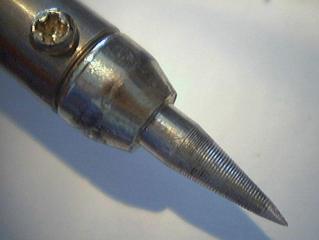
A 15 watt soldering iron with the tip filed to the sharpest point you can manage.
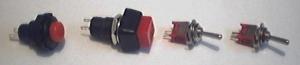
Some radioshack switches. From left to right:

1 pushbutton momentary switch
1 pushbutton on/off switch
two SPST toggle switches
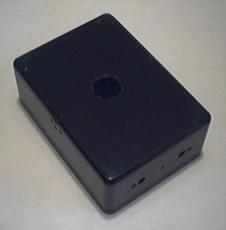
A 2x3x4 inch (give or take) project box for the camera enclosure. You can see that I already drilled some holes which will be explained as I go along.
A 1x2x3 inch project box for the remote exposure control.
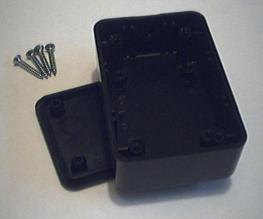
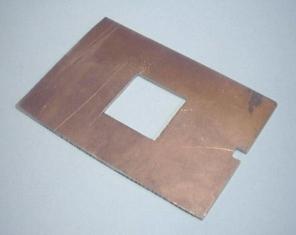
I bought the enclosure project box from a used parts store and it came without a back, so I cut a back out of a piece of copper-plated circuitboard. You can see a hole cut in the middle to house the fan, and a notch cut in the end to let the USB cable through.
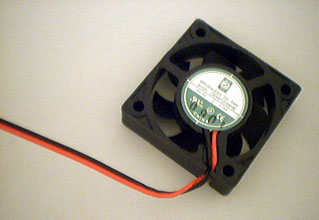
[Picture unavailable] The previous image shows the back as I designed it to house the original fan, a 1 inch square fan. I eventually replaced that fan with a slightly larger fan. This is how the back was modified to match.
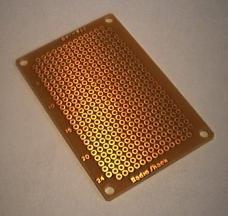
A small piece of PC board (1 or 2 inches square will be more than enough).
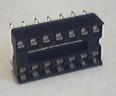
A 14 pin integrated circuit socket.
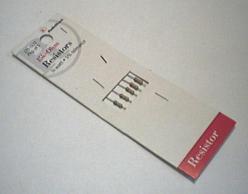
4 15K resistors (they come in packs of 5)
[ No picture. Sorry. There is a picture of it inserted into the socket after the circuitry is completed later in the description. ] 1 4066 or 4016 (doesn't matter which) quad bilateral switch integrated circuit.
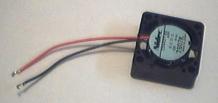
1 small 5 volt fan. This is the first fan I used, only 1 inch square. It was only .5 cfm however. I eventually replaced it with a larger fan.

Other tools you will either need or want include:

Next section:
Opening the Webcam and Familiarizing Yourself with the Treasures Therein